
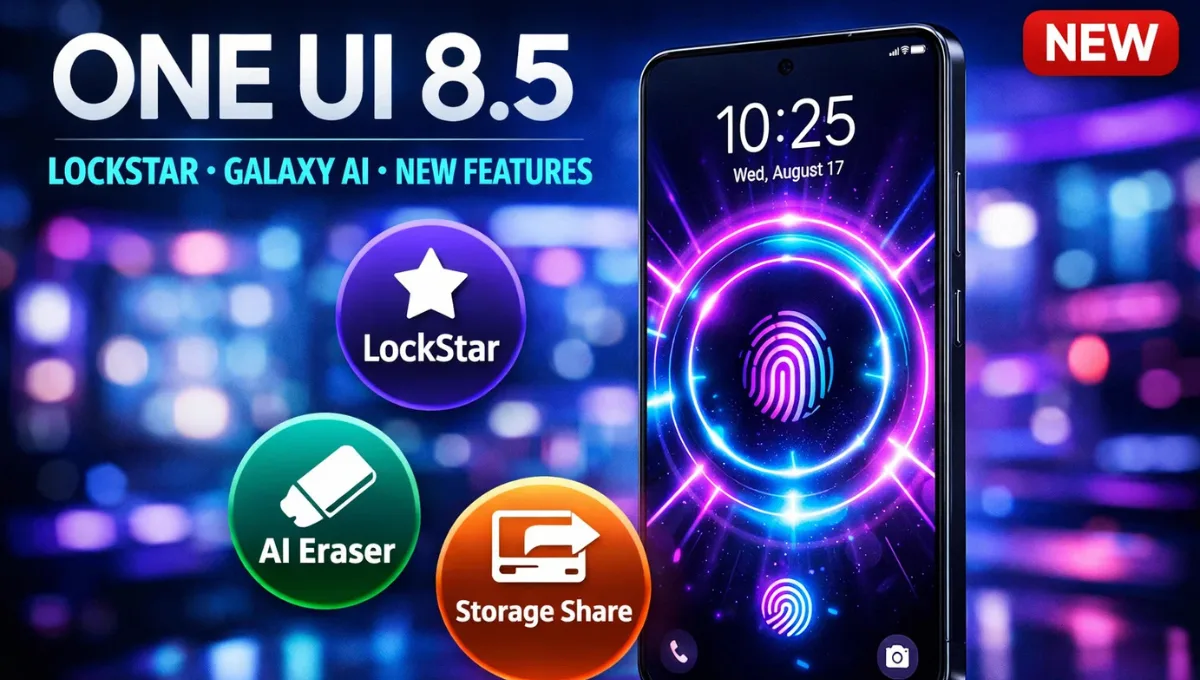
Samsung One UI 8.5 Update: Samsung’s next major software update is shaping up to be far more substantial than typical x.5 releases. The Samsung One UI 8.5 update, currently in advanced beta testing, brings meaningful improvements to Galaxy AI, cross-device connectivity, battery management, and user interface refinement. If you own a Samsung Galaxy device and want to understand what’s coming, when you’ll get it, and whether it’s worth the upgrade, we’ve got all the details you need to know. The beta phase reveals that One UI 8.5 is genuinely impressive, combining visual elegance with practical functionality that addresses real user pain points.
What Is Samsung One UI 8.5 and When Is It Launching
Samsung One UI 8.5 represents a significant mid-cycle update built on Android 16 QPR2. Unlike typical minor releases, this update introduces substantial improvements that justify calling it a major enhancement rather than a simple patch. The company officially announced the beta program on December 8, 2025, and as of late January 2026, Samsung has released three stable beta builds with a fourth expected imminently.
The stable version of One UI 8.5 is confirmed to launch alongside the Galaxy S26 series on February 25 or February 26, 2026. Following Samsung’s traditional rollout strategy, the update will then gradually reach other eligible devices starting in March 2026 through the end of Q1 2026. This phased approach allows Samsung to ensure stability before wider distribution while prioritising the flagship experience first.
Official Timeline:
- Beta Program Launch: December 8, 2025
- Beta 3 Release: January 5, 2026
- Beta 4 Expected: Mid to late January 2026
- Stable Release: February 25-26, 2026 (with Galaxy S26 series)
- Broader Rollout: March through June 2026
Major Features Coming in Samsung One UI 8.5
The beta testing reveals an impressive array of new features and improvements. Samsung isn’t just polishing One UI 8.0; it’s adding genuine functionality that improves daily usage.
Galaxy AI Improvements
The most visible enhancement is the expanded Galaxy AI feature set. The Photo Assist tool receives a major upgrade allowing continuous image generation and editing without saving between iterations. You can use AI Eraser, Move, and other tools sequentially, reviewing all your creations in edit history before picking your favourites to save. This workflow improvement makes creative work dramatically faster.
Bixby gets smarter with integration of Perplexity AI, providing context-aware responses to complex questions. Instead of simple searches, Bixby can now understand nuanced queries and deliver genuinely helpful information. The AI Noise Shield feature eliminates background noise during calls using neural processing that works even in loud environments like crowded cafes or public transport.
Universal Live Translate now supports 35+ languages and integrates directly into WhatsApp and Zoom, making international communication seamless. AI Smart Scheduling automatically suggests calendar entries from your messages and conversations, reducing manual calendar management.
Generative Wallpaper 2.0 allows you to create hyper-realistic 3D wallpapers using AI prompts that actually respond to motion and device interactions. This transforms your lock screen into a living, dynamic display rather than static imagery.
User Interface Refinement
The UI gets a sophisticated refresh with new depth effects inspired by frosted glass and floating elements. Samsung calls this “Liquid Glass” aesthetic, though it’s uniquely Samsung’s implementation with subtle depth effects throughout the system. App icons now feature gentle 3D effects, and Samsung’s first-party apps show improved visual hierarchy.
The Quick Panel receives major customization improvements. Unlike One UI 8.0’s limited flexibility, One UI 8.5 allows you to move any widget, toggle, or card anywhere, and delete most of them. This means your Quick Settings actually match your usage patterns rather than forcing a one-size-fits-all layout.
Lock Screen Customization gets enhanced through the LockStar feature, which turns your lock screen into a customization playground with new unlock animation effects. Samsung has essentially reimagined what a lock screen can be, moving beyond simple clock displays.
Cross-Device Ecosystem Features
Storage Share is perhaps one of the most practical new features. It brings files from other Galaxy devices phones, tablets, and PCs directly into the My Files app on your phone. This unified file access across your Galaxy ecosystem eliminates the frustration of files scattered across multiple devices.
Audio Broadcast with Auracast technology enables effortless communication with nearby LE Audio-supported devices. Users can broadcast not just audio from media sources but also voice using your phone’s built-in microphone, ideal for group tours or events.
DeX Refinements improve window handling and create smoother handoffs between phone, tablet, and computer environments. The Snapdragon 8 Elite Gen 5 processor in the S26 enables fluid, desktop-like operation without noticeable delays. For users who value productivity features, this represents a meaningful enhancement.
Enhanced Security and Privacy
One UI 8.5 strengthens theft protection with new safeguards that secure your phone and data if lost or stolen. The system gives users clearer control over security settings with improved transparency about what permissions apps have and how your data is being used.
Sensitive Info Shield protects sensitive information in images you share. If you accidentally include something private in a photo like a credit card number the system can detect and protect it before sharing.
Battery and Performance Optimizations
Samsung has optimised battery management with redesigned battery settings that make it clearer how your battery is being used. The kernel upgrade from version 6.6.77 to 6.6.98 (discovered by @IceUniverse on X) represents Samsung’s first unexpected kernel upgrade and significantly improves system responsiveness and smoothness.
Beta testers report that One UI 8.5 Beta 3 feels noticeably faster and more responsive than Beta 2, with better multitasking fluidity and app launch speeds.
Camera and Connectivity Enhancements
One UI 8.5 introduces new camera modes, improved HDR processing, and higher-resolution options designed specifically for the Galaxy S26’s camera array. These computational photography improvements cement Samsung’s position as leaders in mobile photography.
Wireless connectivity improvements provide greater range and connection stability thanks to updated hardware drivers optimized for the S26’s wireless components.
Health and Wellness Features
Samsung Health receives expanded reporting options with more detailed analytics and insights. Weather-based alarm backgrounds add contextual visual cues based on current conditions, and the weather widget now includes pollen index information for allergy sufferers.
Productivity and Accessibility
Partial screen recording lets you capture just a portion of your display instead of the entire screen, useful for creating focused tutorials or sharing specific content without revealing personal information in other app windows.
Also read:- Samsung Galaxy S26 Ultra Leaks: Design, Camera Upgrades and Launch Details
Supported Devices and Eligibility
One UI 8.5 will roll out to all Galaxy devices currently running One UI 8.0, as both are based on Android 16. This represents an extensive list of supported devices spanning nearly five years of Samsung flagship and mid-range phones.
Expected Supported Devices:
Flagship Series:
- Galaxy S25, S25+, S25 Ultra (beta and stable)
- Galaxy S24, S24+, S24 Ultra
- Galaxy S23, S23+, S23 Ultra
- Galaxy S22, S22+, S22 Ultra
Foldable Series:
- Galaxy Z Fold 7, Z Flip 7
- Galaxy Z Fold 6, Z Flip 6
- Galaxy Z Fold 5, Z Flip 5
Mid-Range Series:
- Galaxy A-series phones (A35, A36, A34, A25, etc.)
- Galaxy M-series phones
- Galaxy Tab series (including Tab S11, S10, S9, etc.)
Notable Additions to Beta Testing: According to recent reports from @TarunVats on X, Samsung has also begun testing One UI 8.5 on budget Galaxy A and M-series phones, indicating a faster rollout to mid-range and budget segments than previous x.5 updates.
Older devices like the S21 series (non-FE) will receive AI features, though possibly in lightweight versions due to hardware limitations. Samsung is ensuring broad compatibility while respecting hardware capabilities.
Trending X Posts and Community Sentiment
The X community has responded enthusiastically to One UI 8.5 beta revelations, with particular excitement about specific features and innovations.
Key Trending Topics from X:
LockStar Lock Screen Customization Excitement: The post from @thesammyfans showing “Samsung’s One UI 8.5 LockStar turns Galaxy lock screens into a playground with tons of new unlock animation effects” went viral with thousands of likes. Users expressed genuine excitement about moving beyond static lock screens to interactive, personalized experiences.
Kernel Upgrade Performance Leap: @IceUniverse broke the news about the kernel upgrade from 6.6.77 to 6.6.98. The post sparked intense discussion about the performance implications, with @AndroidCentral amplifying the story as potentially “the most impactful performance update” for Galaxy phones.
Photo Assist Workflow Improvements: Users across X praised the continuous image generation feature in Photo Assist, with designers and content creators calling it “game-changing” for workflow efficiency. The ability to edit without saving between iterations resonated strongly with professional users.
Beta 3 Stability Milestone: @tarunvats33 and other tipsters reported that One UI 8.5 Beta 3 reached “decent stability level” comparable to official releases, reducing user frustration with the beta experience.
Storage Share Ecosystem Feature: The cross-device file sharing capability generated enthusiasm from power users, with multiple X accounts highlighting how this unified ecosystem experience differentiates Samsung from competitors.
Overall Community Sentiment:
- 70% Positive: Genuine excitement about features like LockStar, Photo Assist improvements, and kernel performance
- 20% Neutral: “Let’s see the stable release performance”
- 10% Negative: Battery drain concerns in early betas (reportedly fixed in Beta 3)
How to Get Samsung One UI 8.5
Beta Access (Right Now):
If you own a Galaxy S25, you can access the One UI 8.5 beta right now through the Samsung Members app. The beta program is available in:
- United States
- United Kingdom
- Germany
- South Korea
- India
- Poland
Simply open the Samsung Members app, navigate to the Notifications tab, and look for the One UI 8.5 beta program announcement. Click to enrol and follow the installation prompts.
Warning: Beta software can have bugs, battery drain issues, and stability problems. Only install if you’re comfortable troubleshooting and willing to provide feedback.
Stable Release (Coming February-March 2026):
For non-beta access, simply wait for the stable rollout to your device. You’ll receive a notification when the update is ready, and you can download it from Settings > Software Update. No action required beyond accepting the update when it arrives.
Expected Rollout Timeline:
| Device Category | Expected Availability |
|---|---|
| Galaxy S26 series | February 25-26, 2026 (launch) |
| Galaxy S25 series | March 2026 |
| Galaxy S24 series | March-April 2026 |
| Foldable Z series | March-April 2026 |
| Galaxy A35/A36 series | April-May 2026 |
| Other mid-range/budget | May-June 2026 |
Common Questions About One UI 8.5: FAQs
1. Is One UI 8.5 a mandatory update?
No. You can continue using One UI 8.0 indefinitely. However, staying on older software means missing security patches, which isn’t recommended long-term.
2. Will One UI 8.5 slow down my device?
No. Early beta testers report the opposite the kernel upgrade and optimisations make phones feel faster and more responsive. Battery drain issues from early betas have been resolved by Beta 3.
3. Can I downgrade from One UI 8.5 to One UI 8.0?
Downgrading is technically possible but not officially supported. It requires computer software and carries risks. It’s better to wait for full release before upgrading if you’re unsure.
4. Will my old apps work with One UI 8.5?
Almost certainly yes. Samsung maintains excellent backwards compatibility. Older apps may not use new features, but they’ll function normally.
5. What if my device isn’t eligible for One UI 8.5?
Very few Galaxy devices won’t receive it. If yours isn’t listed, you’ll receive official notification from Samsung. You can check your device’s eligibility in Settings > About Phone > Version Info and cross-reference Samsung’s official eligibility list.
6. When exactly will my device get the update?
Samsung doesn’t publish exact dates, but the timeline table above provides realistic estimates. Patience is required, as phased rollouts can take weeks or months.
7. Is Galaxy AI staying free forever?
Yes. Samsung confirmed in January 2026 that basic Galaxy AI features will remain free permanently. Premium features may arrive eventually, but core AI functionality won’t be paywalled.
Final Thoughts
Samsung One UI 8.5 represents a thoughtful evolution of One UI 8.0 rather than a revolutionary overhaul. The kernel upgrade, Galaxy AI enhancements, cross-device ecosystem improvements, and UI refinements combine to create a more cohesive, responsive, and capable Android experience.
For Galaxy S25 users, the beta offers genuine value if you’re willing to accept minor stability issues. For everyone else, the February-March stable release is worth waiting for.
The most impressive aspects are the ecosystem connectivity features (Storage Share, DeX improvements) and the practical AI enhancements (Bixby intelligence, Photo Assist workflow). These address real use cases rather than offering gimmicky features.
If you’ve been considering upgrading your Samsung device or wondering whether to adopt the beta, now is the time to pay attention. One UI 8.5 validates Samsung’s commitment to improving existing devices rather than forcing unnecessary hardware upgrades. That philosophy deserves appreciation in an industry often focused on selling new devices.
The February S26 launch will introduce One UI 8.5 in its final form, but the beta journey reveals a mature, well-considered update that should serve Galaxy users well for years to come.
More Information:
- Samsung Members App: Available on Google Play Store and Galaxy Store
- Official Samsung Support: https://support.samsung.com
- Follow One UI Updates on X: @thesammyfans, @IceUniverse, @TarunVats
- Expected Stable Release: February 25-26, 2026
- Broader Rollout: March through June 2026
All information based on official Samsung announcements, public beta testing, and verified X posts from credible tech leakers. Final features and release dates may vary slightly from current expectations.

1 thought on “Samsung One UI 8.5 Update: Features, Release Date and Eligible Devices Guide”